Badge Printer Repair Service Badge Printer Supplies
You are here: Home > Knowledge Center - IDcardPrinterSavings.com > Using Pre-Punched Cards on Card Printers - Zebra
We found 0 results matching your criteria.
Knowledge Center
A collection of learning resources for all your needs.

Using Pre-Punched Cards on Card Printers - Zebra

Applies To

  • All card printer models
  • Custom pre-punched cards
  • Details

    Zebra does not recommend or support the use of pre-punched cards. Examples of pre-punched cards are the ones with a slot at the top or side of the card where a clip or hanger would attached.
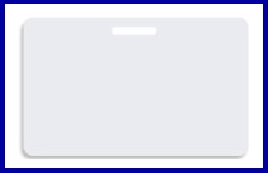
    pre-punched card image

    Using pre-punched cards may cause the following:

    • Ribbon tearing or sticking to the card
    • May cause incorrect operation of the sensors in the printer; this could cause transport or other problems while printing
    • Pre-punched cards frequently have a rough or jagged edge around the punched hole that can damage the print head during printing

    It is recommended that hole punching be the final operation in preparing a card (i.e. after all printing / personalization and lamination is completed).

    • Design artwork to exclude the pre-punched hole area and prevent printhead damage.
    • Always load cards in the specific orientation required by your Zebra printer model.
    • Avoid printing over punch holes to protect the printhead and ensure image quality.
    • Ensure punch holes have smooth edges to prevent tearing the printer ribbon during use.
    • Be aware that punch locations might interfere with internal card-sensing mechanisms.
    • Utilize software "keep-out" zones to ensure no ink or film covers the punch.

    We are located in Orange, California (Southern California) and strategically located to serve Los Angeles, Orange, Riverside and San Diego Counties.

    This page last updated on 6/2/2026 10:36:23 AM